Workflow Elements#
The central building blocks of GTlab workflows are Calculators and Tasks.
Calculators represent individual workflow steps, such as the execution of a single tool or a data transformation.
Tasks are higher-level elements responsible for workflow coordination. A common example is a Loop Task, which manages the repeated execution of one or more calculators.
Workflows are generally arranged hierarchically, similar to the data model. In this hierarchy, calculators operate under the coordination of tasks.
Both calculators and tasks are primarily provided by GTlab modules. Therefore, only a limited set of elements is available in a bare GTlab installation without additional modules.
Default Calculators#
Without any additional modules installed, the GTlab core framework already provides a set of default calculators. These serve as the foundation for building workflows and can be used directly out of the box:
Export Object to Memento#
This calculator can be used to export a data model object in text form (.xml format). In addition to the object, you must also specify where the file is to be saved on the computer.
Python Script Calculator#
This calculator is described in more detail in the section on python integration in GTlab.
Default Tasks#
The following tasks are provided with the core installation of GTlab.
Loop#
This task coordinates the repeated execution of all subordinate elements. A number of executions defined as Number of Iterations is used. The current number of executions is specified via the property Current Iteration.
Parameter Loop#
This task is also used for a loop. However, here a value range is specified directly for a parameter of interest with start, end and steps. This means that starting from the start value, the specified steps are used to reach the end value. For example, a start value of 5, target value of 9 and 2 steps results in three versions with the values 5, 7 and 9. These values are specified via the currentVal parameter. This value can be passed on to child elements via the connection editor.
Python Task#
This task is described in more detail in the section on python integration in GTlab.
Residual Loop#
This task is intended to coordinate iterations in which one or more target values are to fall below a specified accuracy value.
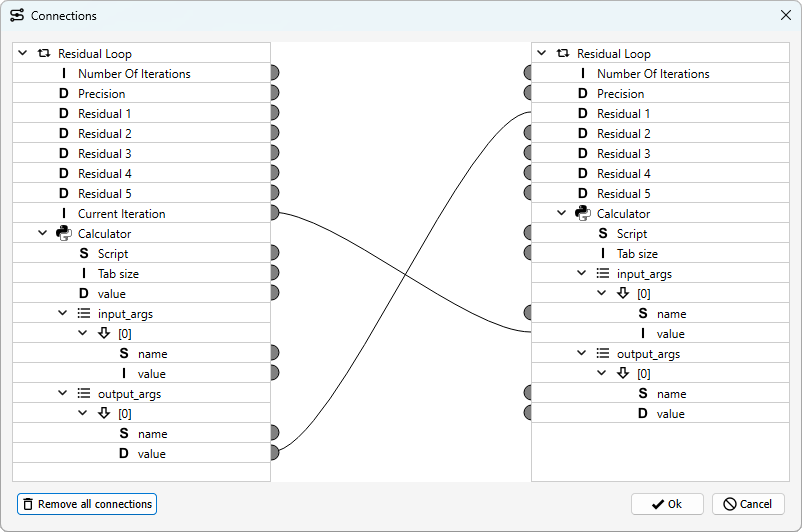
The Number Of Iterations specifies the maximum number of iterations to be used. The Precision specifies the tolerance that should be undercut. In addition, up to five residuals are possible, which are analysed to determine whether they all fall below the tolerance. Only the activated properties are taken into account.
This task can only be used sensibly if it and its child elements are linked using connection editor. The residual values here must be determined by sub-elements and then passed to the task via connection.
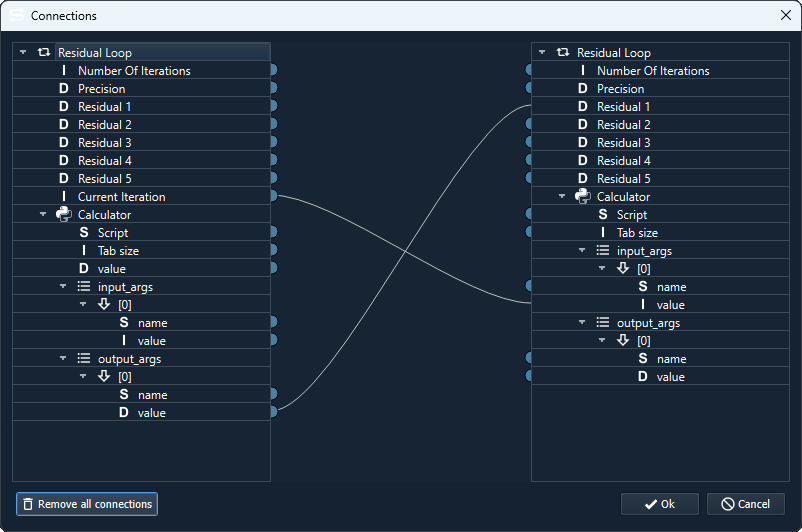
In the example shown, the number of the current iteration is passed on to a calculator. This processes this and outputs a value for the residual and passes it on to the task via a connection.
Simple Task#
This is the basic task element. The task is executed once with all subordinate elements.